pacman::p_load(ggHoriPlot, ggthemes, tidyverse)In class Exercise 6 Time on the Horizon
1. Getting started
Before getting start, make sure that ggHoriPlot has been included in the pacman::p_load(...) statement above.
1.1 Step 1: Data Import
For the purpose of this hands-on exercise, Average Retail Prices Of Selected Consumer Items will be used.
Use the code chunk below to import the AVERP.csv file into R environment.
averp <- read_csv("data/AVERP.csv") %>%
  mutate(`Date` = dmy(`Date`))
Thing to learn from the code chunk above.
1.2 Step 2: Plotting the horizon graph
Next, the code chunk below will be used to plot the horizon graph.
averp %>%
  filter(Date >= "2018-01-01") %>%
  ggplot() +
  geom_horizon(aes(x = Date, y=Values),
               origin = "midpoint",
               horizonscale = 6)+
  facet_grid(`Consumer Items`~.) +
    theme_few() +
  scale_fill_hcl(palette = 'RdBu') +   #diverging color red and blue.
  theme(panel.spacing.y=unit(0, "lines"), strip.text.y = element_text(
    size = 5, angle = 0, hjust = 0),
    legend.position = 'none',
    axis.text.y = element_blank(),
    axis.text.x = element_text(size=7),
    axis.title.y = element_blank(),
    axis.title.x = element_blank(),
    axis.ticks.y = element_blank(),
    panel.border = element_blank()
    ) +
    scale_x_date(expand=c(0,0), date_breaks = "3 month", date_labels = "%b%y") +
  ggtitle('Average Retail Prices of Selected Consumer Items (Jan 2018 to Dec 2022)')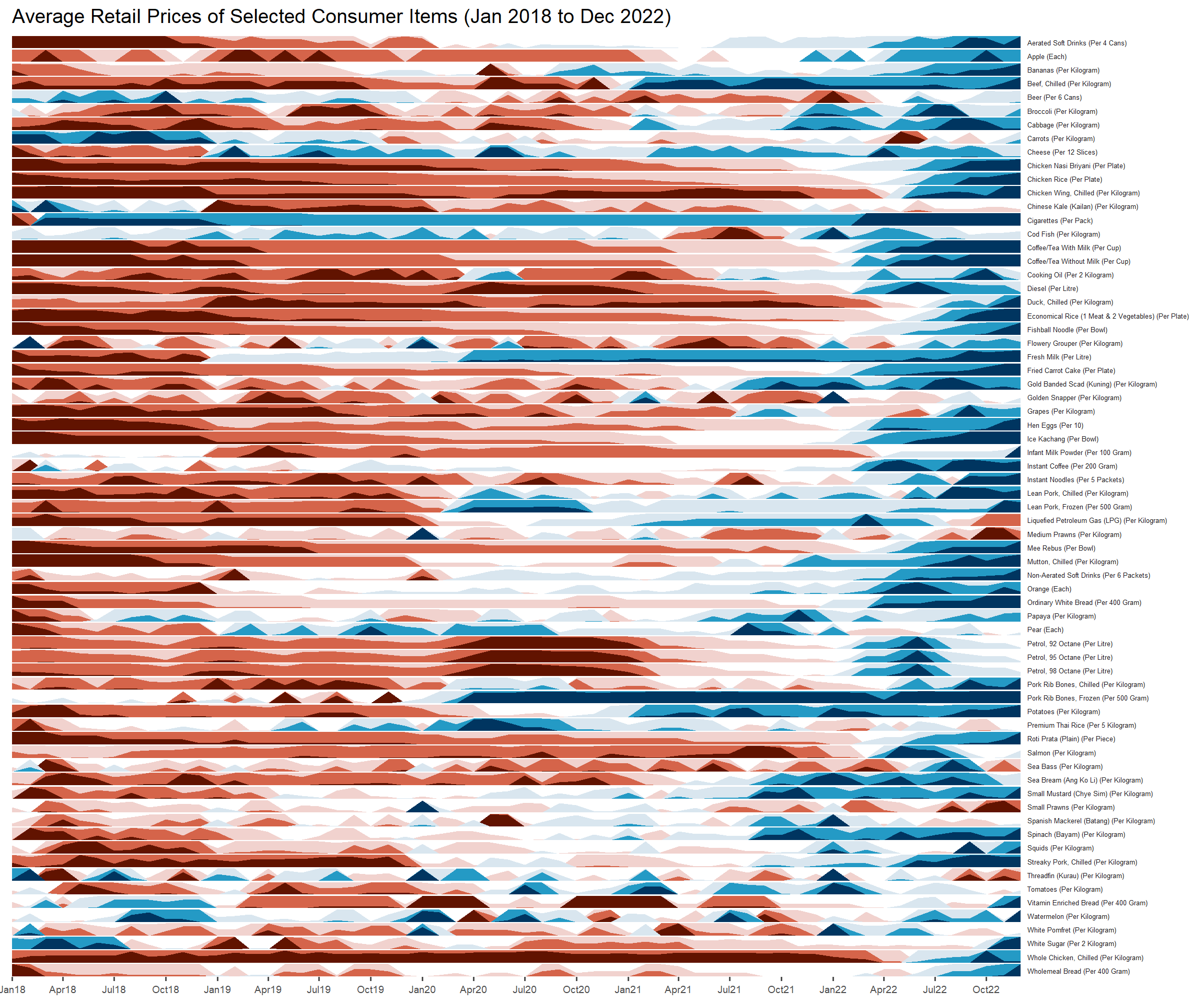
attacks <- attacks %>%
mutate(wday = lubridate::wday(timestamp,
label =True
abbr= True,),
hour = lubridate::hour(timestamp))
the code chunk above avoid to change date format.